Linktree Theme
Build a personal link-tree to share your links, social profiles, and QR codes
Screenshots
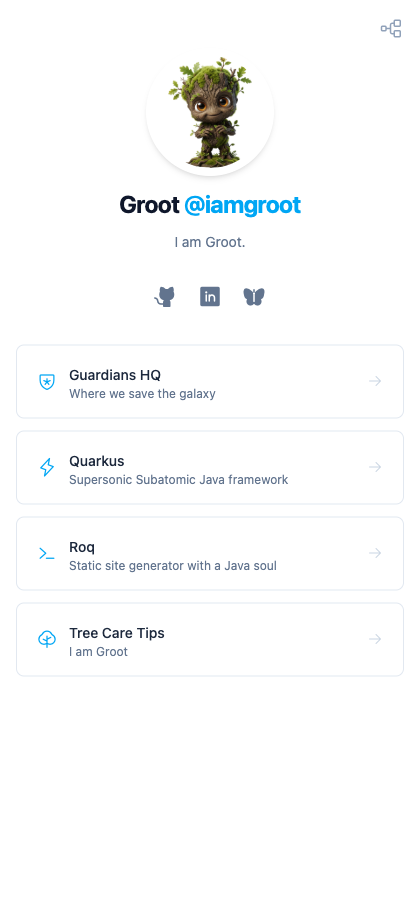
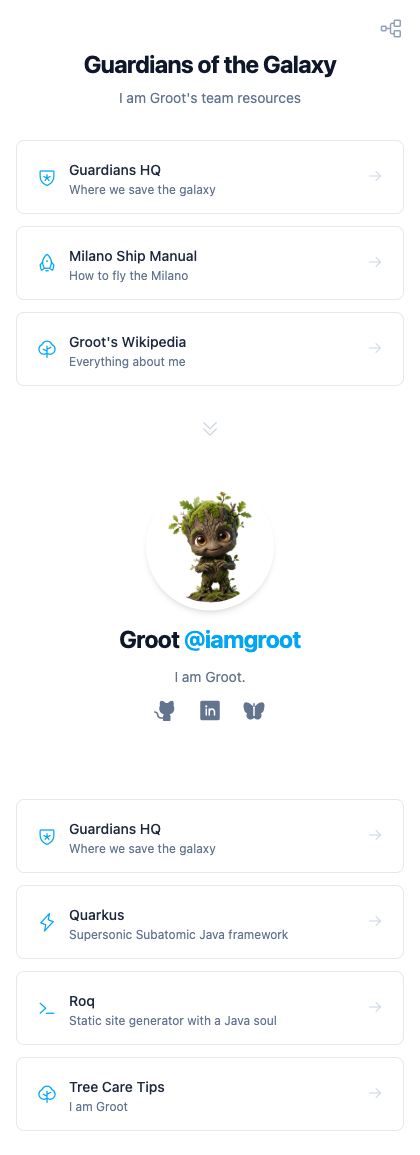
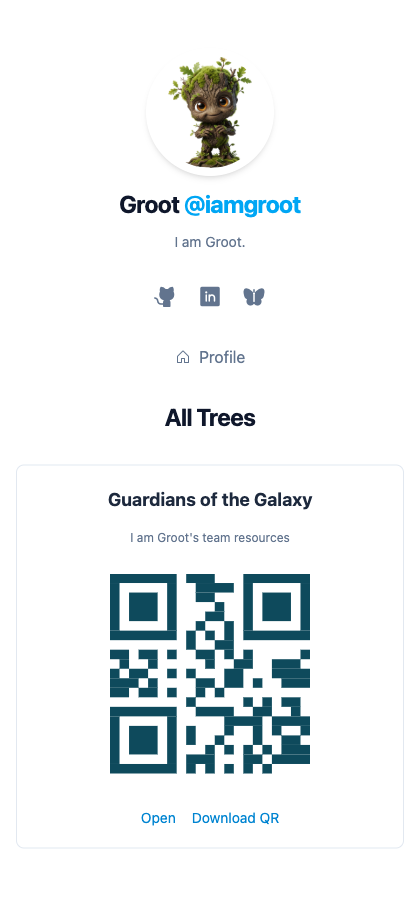
Install
Usage
Build a personal link-tree site with data-driven YAML configuration, social icons, and auto-generated QR codes.
Layouts
The theme provides three layouts:
| Layout | Purpose |
|---|---|
linktree-home |
Home page with profile, social icons, and your main links from data/profile.yml |
linktree |
Auto-generated page for each tree in data/trees/, with profile and profile links at the bottom |
linktrees |
Gallery listing all trees with QR codes and download buttons |
Data Files
data/profile.yml contains your identity and main links:
name: Ada Lovelace
handle: "@adalovelace"
title: Computational Pioneer
image: ada.png
social:
  - name: GitHub
    url: https://github.com/adalovelace
    icon: github-logo
  - name: LinkedIn
    url: https://www.linkedin.com/in/adalovelace
    icon: linkedin-logo
links:
  - name: The Analytical Engine
    url: https://en.wikipedia.org/wiki/Analytical_engine
    description: The machine that started it all
    icon: gear
  - name: Quarkus
    url: https://quarkus.io
    description: Supersonic Subatomic Java framework
    icon: lightning
data/trees/*.yml are additional link pages (one file per tree):
# data/trees/research.yml
title: Research
description: Ada Lovelace's writings and legacy
links:
  - name: Notes on the Analytical Engine
    url: https://en.wikipedia.org/wiki/Ada_Lovelace
    description: The first published algorithm
    icon: note-pencil
Features
- Data-driven: profile and links defined in YAML, mapped to typed Java records via
@DataMapping - Multiple trees: drop a new YAML file in
data/trees/and a page is auto-generated with its own QR code - Profile links on tree pages: tree pages show the profile and main links at the bottom (configurable)
- Social icons: Phosphor Icons for social media links (GitHub, LinkedIn, Bluesky, and more)
- QR codes: built-in QR code generation with SVG download
- Tailwind CSS: all styles use
@applywithlt-*class names for easy customization
Page Data
Frontmatter keys for tree pages (linktree layout):
| Key | Description | Default |
|---|---|---|
show-profile |
Show profile section at the bottom of tree pages | true |
profile-links |
Append profile links below the profile on tree pages | true |
Frontmatter keys for the gallery page (linktrees layout):
| Key | Description | Default |
|---|---|---|
qr-foreground |
QR code foreground color (hex) | #0e4a5c |
qr-background |
QR code background color (hex) | #FFFFFF |
Icons
Icons use Phosphor Icons. Browse the catalog and use the icon name in your YAML:
icon: github-logo    # renders as <i class="ph ph-github-logo">
icon: lightning       # renders as <i class="ph ph-lightning">
Template Components
The theme provides reusable components you can override:
partials/roq-linktree/profile.html: profile card with avatar, name, handle, title, and social iconstags/roq-linktree/linkCard.html: link card with icon, name, description, and arrow
CSS Customization
Override theme styles in web/_custom.css (included by default). All component styles use lt-* class names (e.g. lt-avatar, lt-link-card, lt-profile) defined with @apply, so you can restyle any component. You can also replace the theme CSS entirely by creating your own web/linktree.css.