
Set It in Roq: The Editor that changes the game!
Roq introduces a TipTap-powered editor with Markdown support, transforming it from a static site generator into a lightweight, developer-friendly CMS. Create, edit, and preview content seamlessly within the Quarkus dev experience.
roq-2.1 (4 Parts Series)
- 1 Roq 2.1 is here!
- 2 Set It in Roq: The Editor that changes the game!
- 3 GFM Alert Blocks: Styled Callouts in Your Markdown
- 4 Generate first class citizen pages from your data
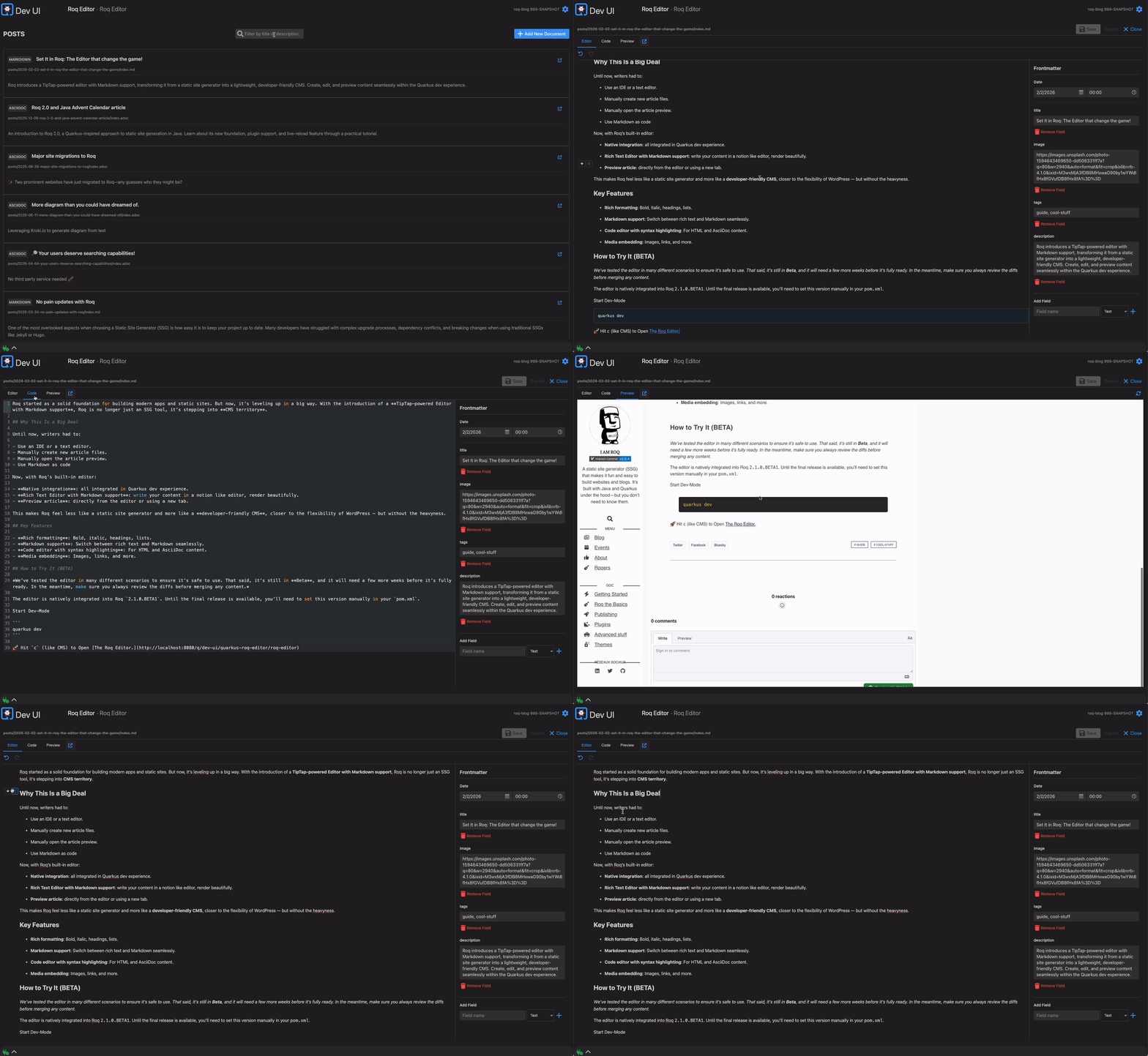
Roq started as a solid foundation for building modern apps and static sites. But now, it’s leveling up in a big way. With the introduction of a TipTap-powered Editor with Markdown support, Roq is no longer just an SSG tool, it’s stepping into CMS territory.
Why This Is a Big Deal
Until now, writers had to:
- Use an IDE or a text editor.
- Manually create new article files.
- Manually open the article preview.
- Use Markdown as code
Now, with Roq’s built-in editor:
- Native integration: all integrated in Quarkus dev experience.
- Rich Text Editor with Markdown support: write your content in a Notion-like editor, render beautifully.
- Preview article: directly from the editor or using a new tab.
This makes Roq feel less like a static site generator and more like a developer-friendly CMS, closer to the flexibility of WordPress but without the heaviness.
Key Features
- Rich formatting: Bold, italic, headings, lists.
- Markdown support: Switch between rich text and Markdown seamlessly.
- Code editor with syntax highlighting: For HTML and AsciiDoc content.
- Media embedding: Images, links, and more.
How to Try It
The editor is natively integrated into Roq 2.1.
roq create my-blog
Start it
roq
🚀 Hit m (like Manage) to Open The Roq Editor.